DriftVoice is a one-tap Android voice recorder that transcribes what you say and routes it straight into Obsidian, Evernote or your inbox. Built so you can capture an idea while driving without unlocking your phone.
What DriftVoice is, in one paragraph
DriftVoice is an Android app for people who think out loud. You start a recording with a single tap on the lockscreen, on the Quick Settings tile, or via Google Assistant. The audio gets transcribed and the resulting text lands in the destination you configured: an Obsidian daily note, an Evernote inbox, or an email. There is no account to create, no dashboard to learn, and no cloud copy of your settings. One tap to start, one tap to send, then your hands are back on the wheel.
Who uses it, and why
Drivers who get their best ideas behind the wheel
Long commutes and quiet motorway stretches are when the brain finally has space to think. DriftVoice was designed exactly for that moment. The Start button sits on the lockscreen, no unlock, no app to dig out of a folder, no fumbling with small icons. You speak the thought, you tap one of the destination buttons, and the idea is filed before you reach the next exit. Eyes on the road, attention on the road, and the thought is out of your head and saved.
Founders and freelancers who carry the whole company in their head
Running a business means a constant background hum of "do not forget to". The traditional answer is a notebook in your pocket or a hundred half-finished notes in a notes app. DriftVoice is for the moments when even those are too much friction. Between meetings, on the walk back from school drop-off, in the parking lot before going in, you speak it once and it is gone from your mental load. That alone is worth a lot. Less ambient stress, fewer dropped balls, more focus on the thing you are actually doing.
Obsidian and PKM users who want frictionless capture
If your second brain lives in Obsidian, the gap between thought and note is everything. DriftVoice appends transcribed text directly to your daily note, using your filename format and your append template. No clipping, no copy-paste, no separate inbox to triage. You configure the vault once via the standard Android folder picker, and from then on every voice note flows straight into the system you already trust.
Evernote users who like the Evernote-by-email trick
Evernote has long supported a personal "@m.evernote.com" address that drops messages straight into your account. DriftVoice uses that path. You set it once and every voice note is forwarded into your Evernote inbox, fully transcribed, ready to be tagged, organised, or left to be searched later.
Email-first thinkers
If your inbox is your task list, DriftVoice can send each voice note as an email to yourself, a teammate, or a project address. The subject line and body use a template you control. Combined with whatever filtering or labelling rules you already have, you get spoken-input-to-structured-email in one tap.
Why people keep it on their lockscreen
It reduces stress
The cognitive cost of holding a thought is real. Every "I must remember to..." takes up working memory until you do something with it. DriftVoice closes that loop fast. Tap, speak, tap. Mental space restored. People often report this as the single biggest unexpected benefit, more than the productivity gain.
It is safer in the car
Phone interaction while driving is a road safety problem. Anything that reduces attention away from the road for more than a moment is dangerous. DriftVoice shrinks the entire capture experience down to a single tap on a notification you do not even need to find. The screen does not need to be unlocked, the app does not need to be opened, and you do not aim for a tiny button. That is meaningfully different from typing or even from launching a regular voice memo app.
It is private by design
No account, no analytics framework, no advertising SDK, no remote sync of your settings. Your audio is transcribed and the text goes where you told it to go; the audio is deleted from the phone after delivery. That posture is intentional and is not changing.
It respects how you already work
DriftVoice does not try to become your note system. It feeds the systems you already use. Obsidian stays Obsidian, Evernote stays Evernote, your email stays your email. DriftVoice is the on-ramp, not the destination.
The whole flow in three screens
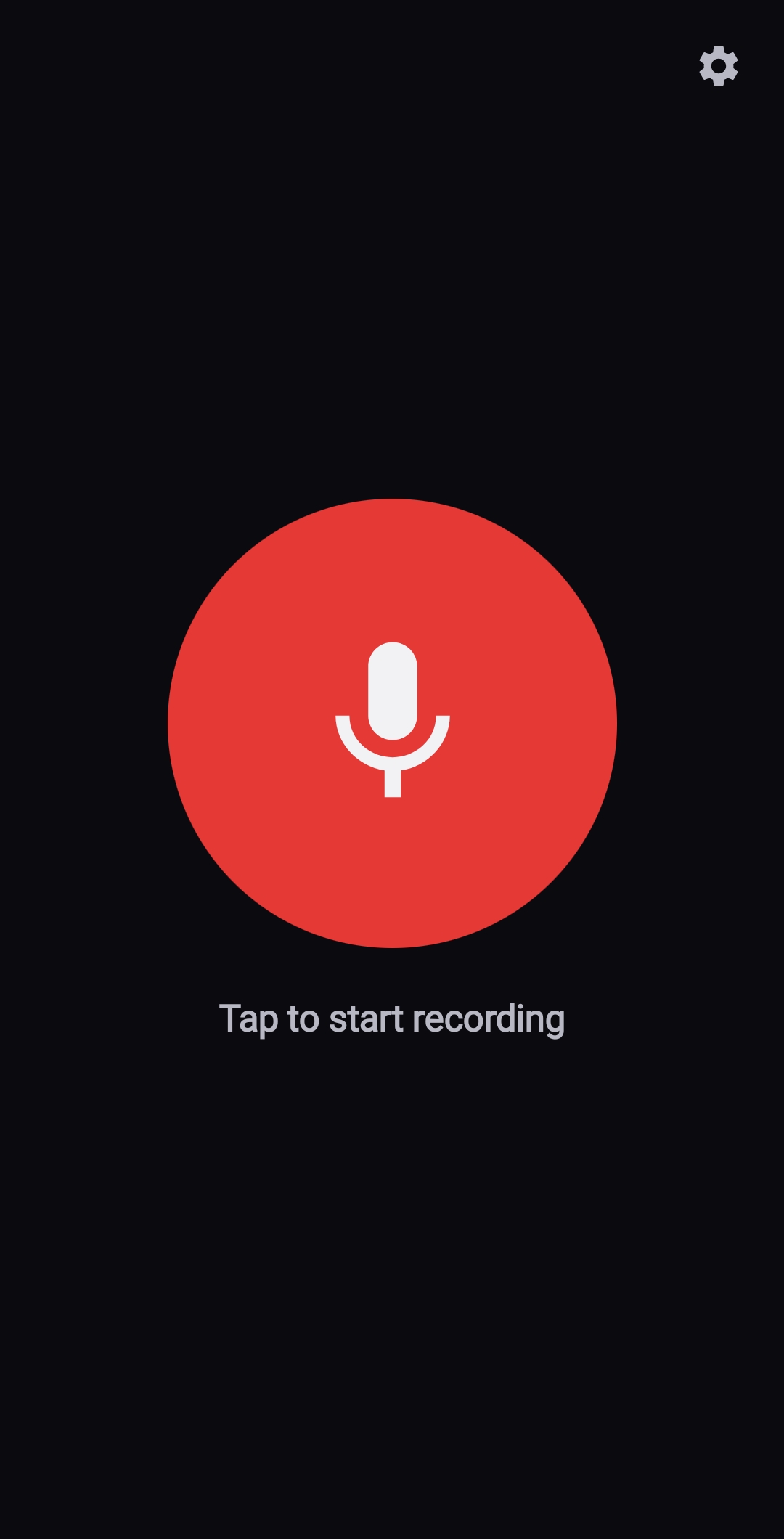
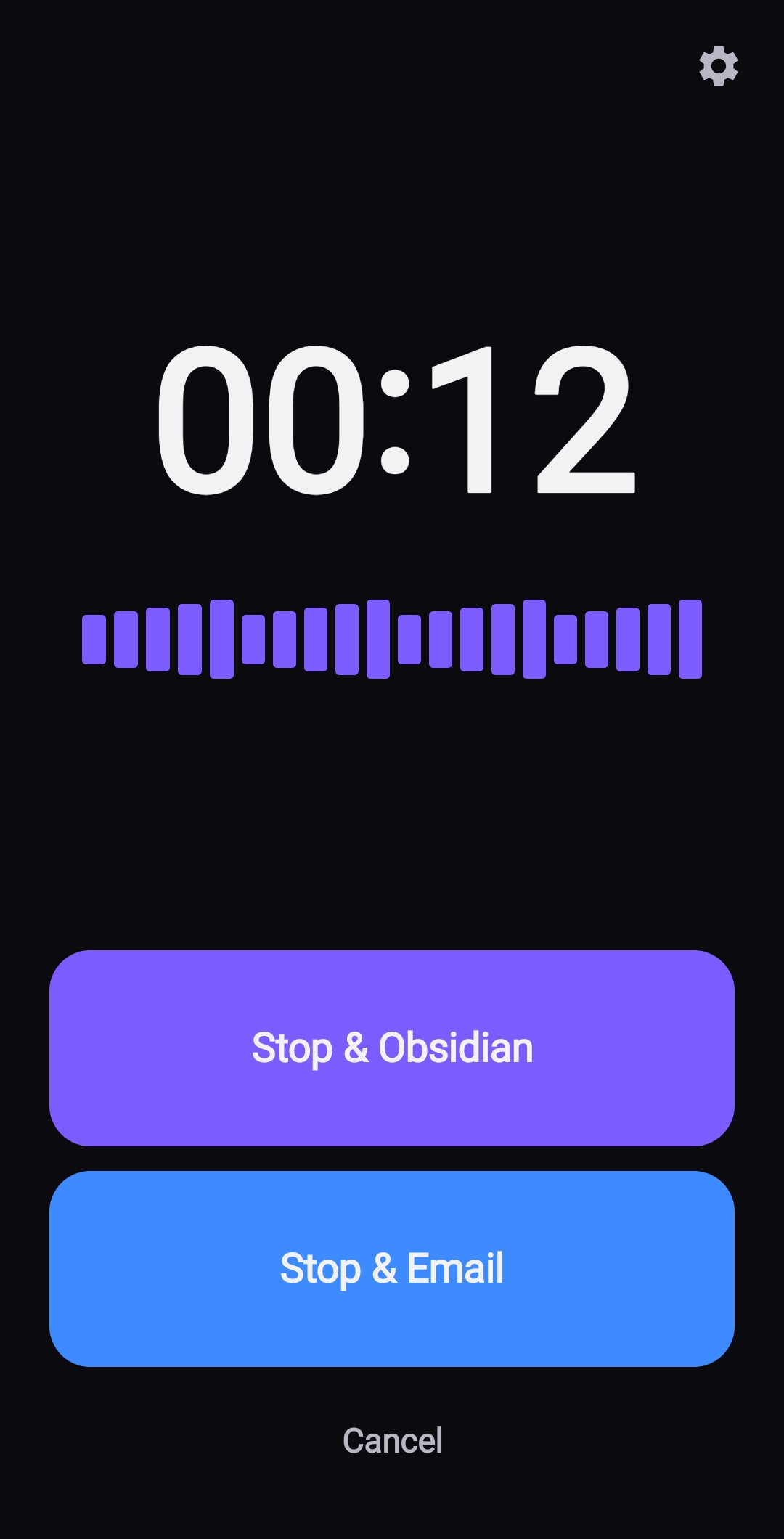
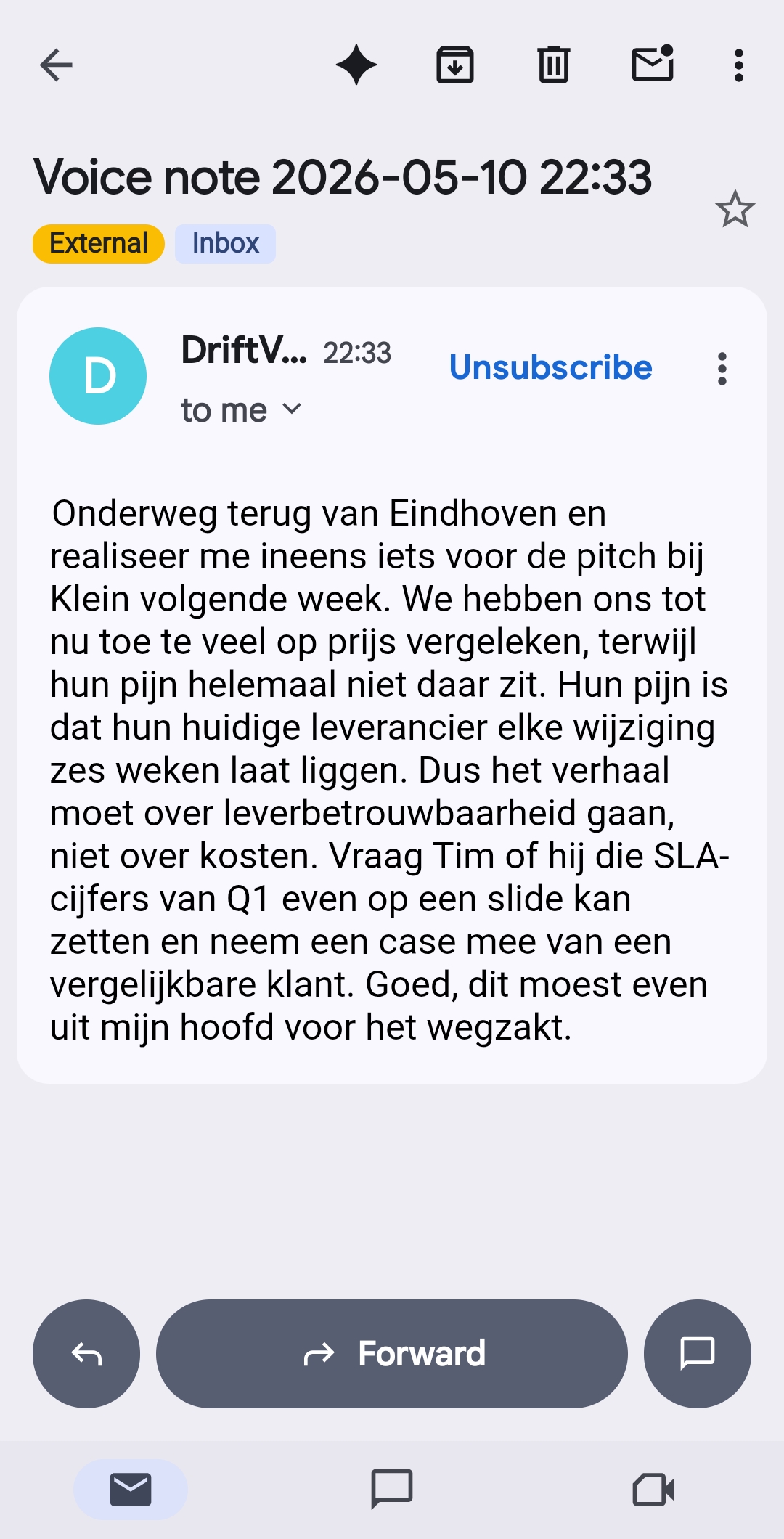
Speak it, send it, read it later. You record the moment a thought lands, you tap one stop button to send it on its way, and the transcribed note is waiting in your inbox once you are safely home or back at your desk. No replay, no manual typing, no copy-paste.
1. Speak it. One tap on the mic to start.2. Send it. Pick a destination to stop.3. Read it later. Transcribed note in your inbox.
How a single voice note works
Start. Tap the Start action on the lockscreen notification, the Quick Settings tile, or trigger via Google Assistant. The recording begins immediately. The screen stays on while recording.
Speak. Talk for as long as you need. The foreground service holds a wake lock so a long drive will not get cut off.
Choose a destination. The same lockscreen notification now shows one stop button per configured destination. Tap "Stop and Mail", "Stop and Obsidian" or "Stop and Evernote".
Wait briefly. The audio is transcribed, optionally polished, and delivered. The notification returns to the idle Start state, ready for the next thought.
What makes DriftVoice different from other voice recorders
Most voice memo apps stop at recording. You end up with a list of files you have to find, listen to, transcribe by hand, and copy somewhere. DriftVoice closes the loop. The transcription happens automatically, and the result is delivered to the system you already keep your knowledge in. The lockscreen-first design also separates it from apps that require unlocking, opening, or navigating before you can record. Combined with the no-account, no-tracking posture, the use case is narrow on purpose: capture-and-route, nothing else.
Frequently asked questions
Can I record while my phone is locked?
Yes. The lockscreen notification has a Start button that does not require unlocking. While recording, the same notification shows one Stop button per destination you configured.
Which destinations does DriftVoice support today?
Obsidian (via the Android folder picker, appending to your daily note), Evernote (via Evernote-by-email), and email (via a server-side mail relay using your subject and body templates).
Do I need to set up an API key?
No. The default path uses a managed transcription proxy, so you do not need to bring your own OpenAI or OpenRouter key. Bring-your-own-key remains supported for users who prefer that.
What languages does the transcription support?
Dutch and English are the primary tested languages, with strong performance on accented speech and typical car noise. The underlying model supports more languages; you can pin a language hint in settings.
Is there an iPhone version?
Not yet. The current build is Android only, because the lockscreen notification primitives that make the one-tap flow possible are Android-specific. iOS would need a different design and is not actively in development.
How do I get the app?
DriftVoice is in private beta. If you want to try it, get in touch with Silenrock and we will send you the install link.
What happens to my audio after transcription?
The audio file is deleted from the device after the transcription has been delivered. The transcribed text is sent only to the destination you chose.
Coming to the app stores
DriftVoice is in private beta today. We are working towards a public Play Store and App Store release. Subscribe below and we will email you the moment it lands.
Coming soon toGoogle PlayComing soon toApp Store
Stay in the loop
Drop your name and email and we will let you know the moment DriftVoice goes public.